


iEvent Check-in iOS & Android App

Simply using iPhone, iPad or Android device to check-in attendee easily.
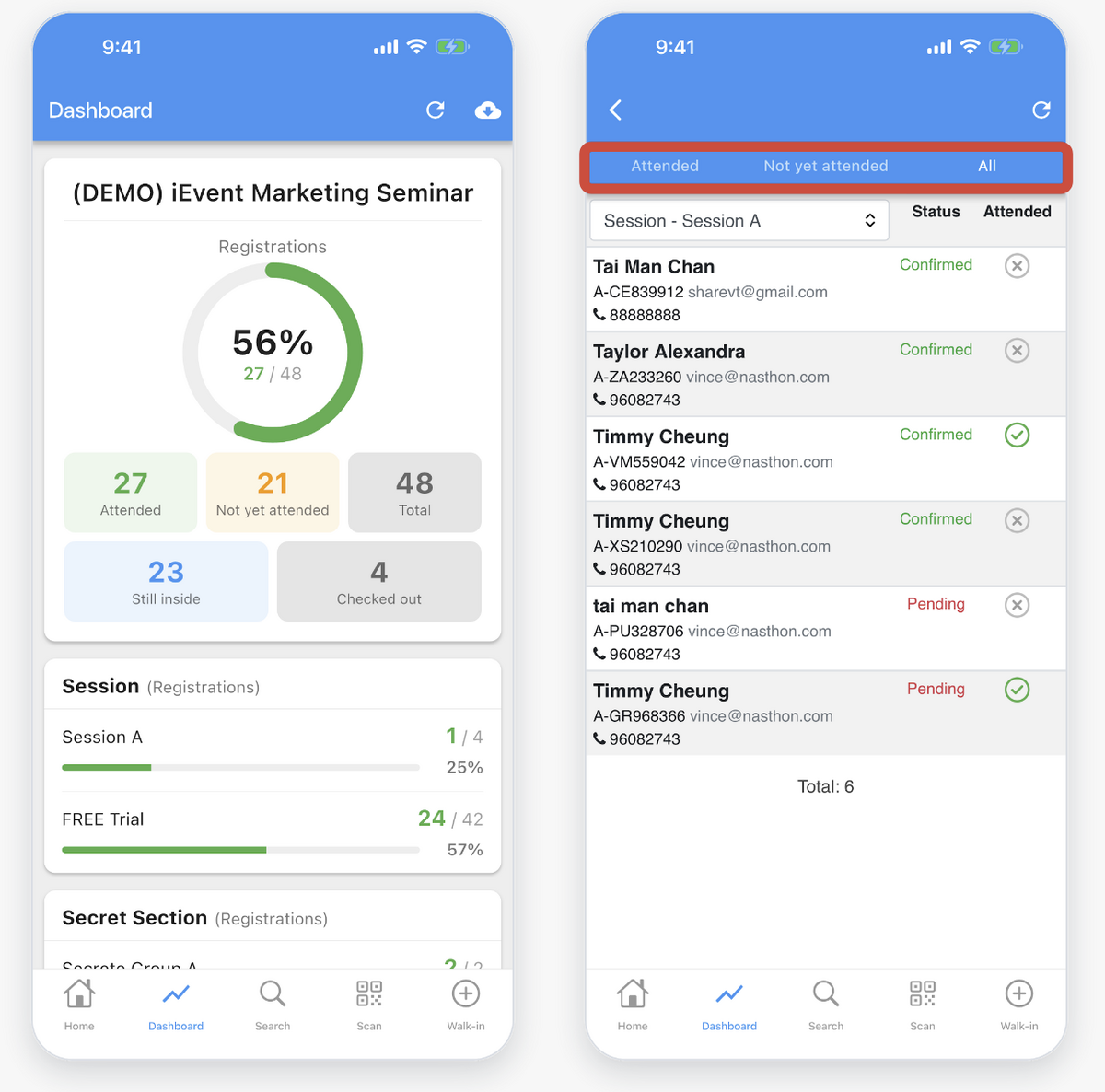
You can also view check-in statistics in real time

iEvent 簽到手機應用程式 (iOS/Android)  iEvent Check-in app on Google Play

View check-in statistics in real time

View check-in statistics in real time

  • Check-in data by no. of registrations or ticket quantity.

  • Data categorize on different Group.

  • Real time update from Cloud

  • Check who has attended or not yet show up

Check-in by scanning QR code

Check-in by scanning QR code
  • Auto check-in after scanning.

  • Increase speed for the check-in process.

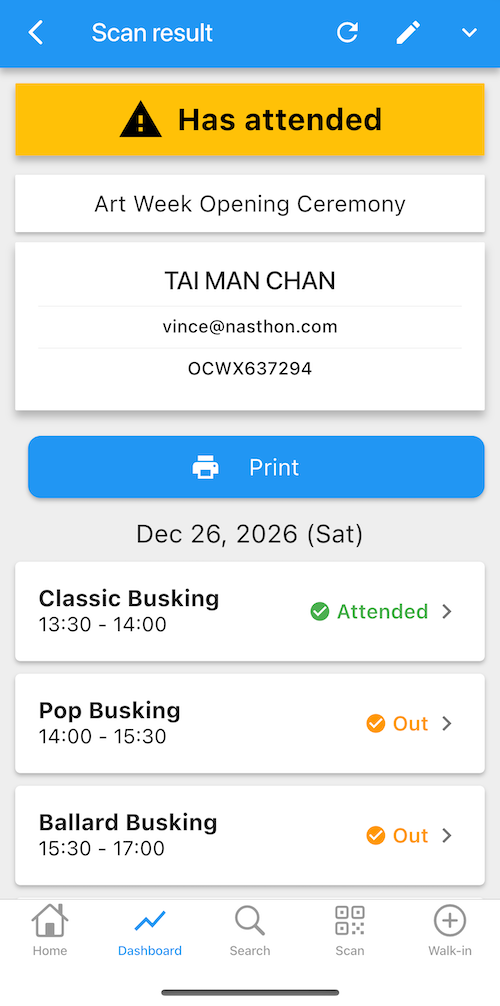
Duplication check-in reminder


  • Reminder banner will show for duplicated check-in

  • Prevent reusing same QR code for check-in

  • Delete attendance manually when needed

Multiple Sessions Check-in

Multiple session check-in
  • Attendee can bring ONE QR Code to check-in multiple sessions.

  • Check-in to each session separately.

  • Applicable to events that has multiple sessions or held in more than one days

Multiple Sessions Check-in
Attendance reporting for each session

Multiple session check-in

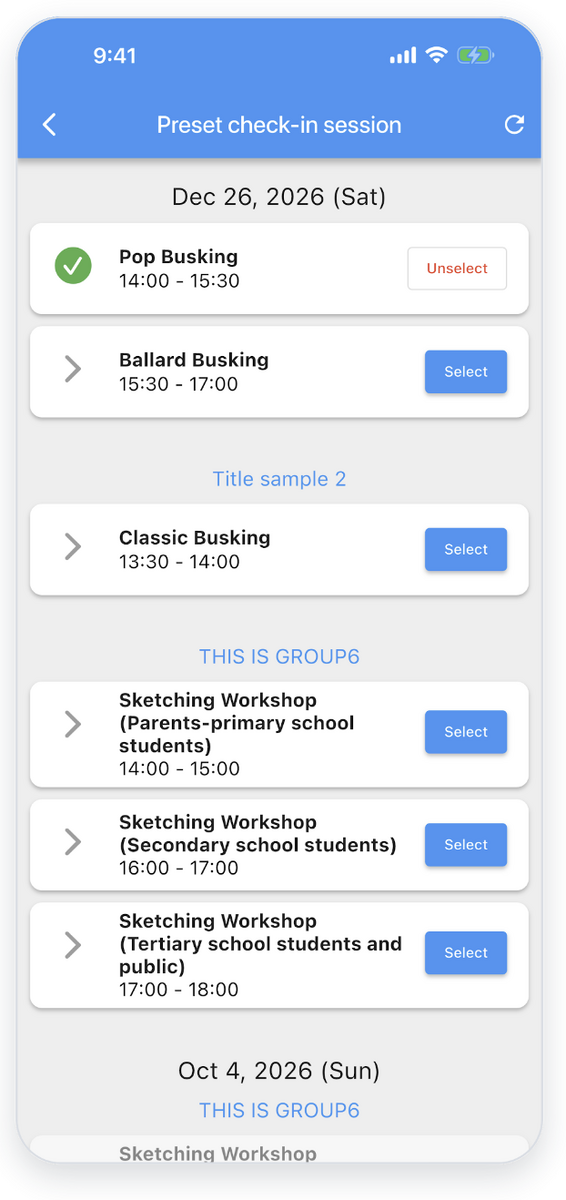
Multiple Sessions Check-in - Preset session

  • Check-in helper can pre-set session.

  • Only the pre-set session will be shown for check-in after scanning QR code.

  • Avoid manual session selection human mistake

  • Speed up check-in process.

Multiple Sessions Check-in - Exhibition mode


  • Attendee can freely check-in any sessions or booths

  • Perfect for free event contains many sessions (more than 10)

Search Attendee

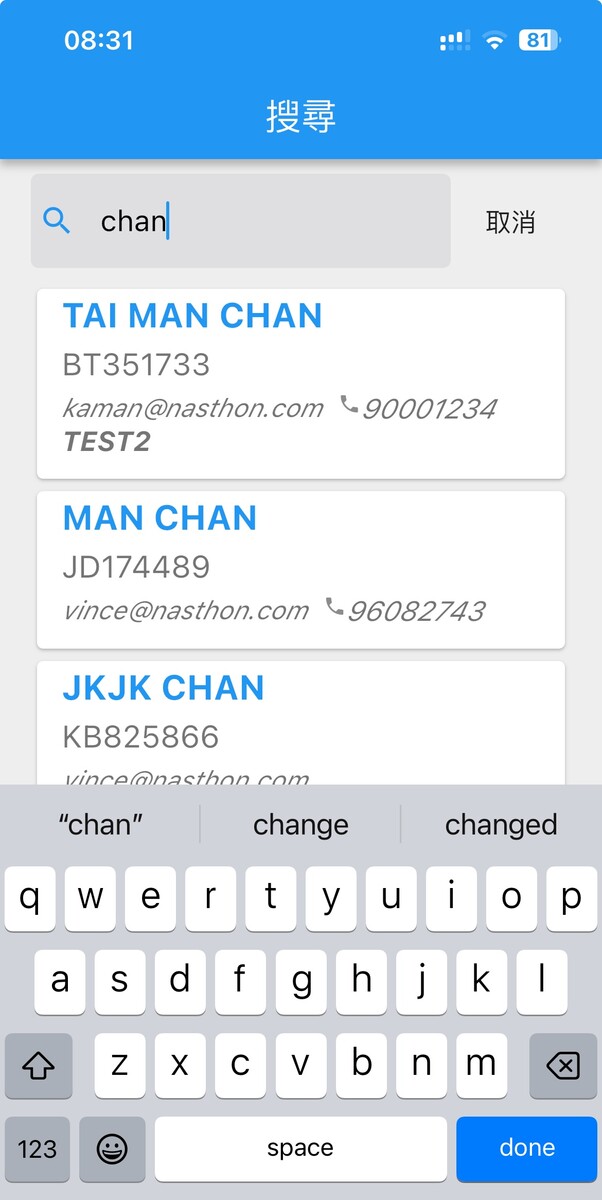
Search attendee / guests


  • Quickly search by:
    • Name
    • Mobile No.
    • Email address
    • Reference code
    • Company
    • Other custom fields

  • Applicable to attendees who cannot present the QR code

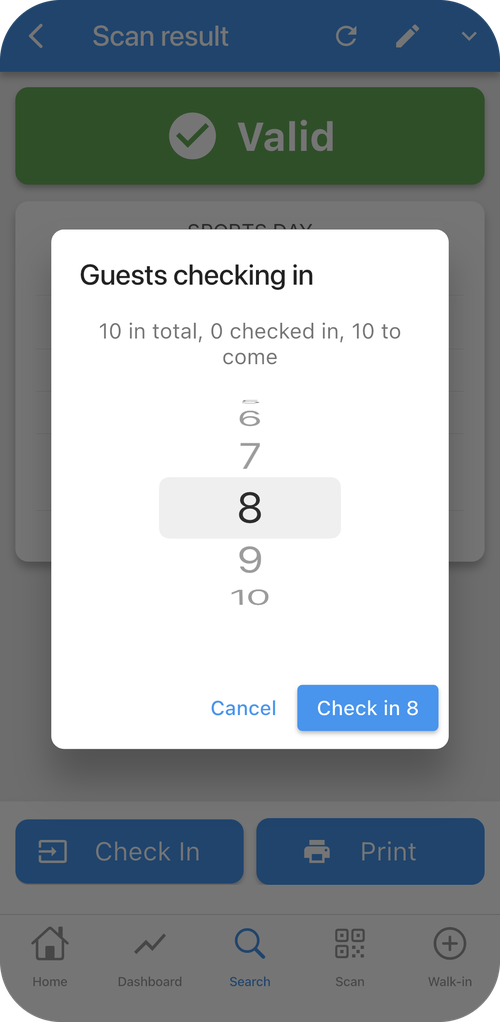
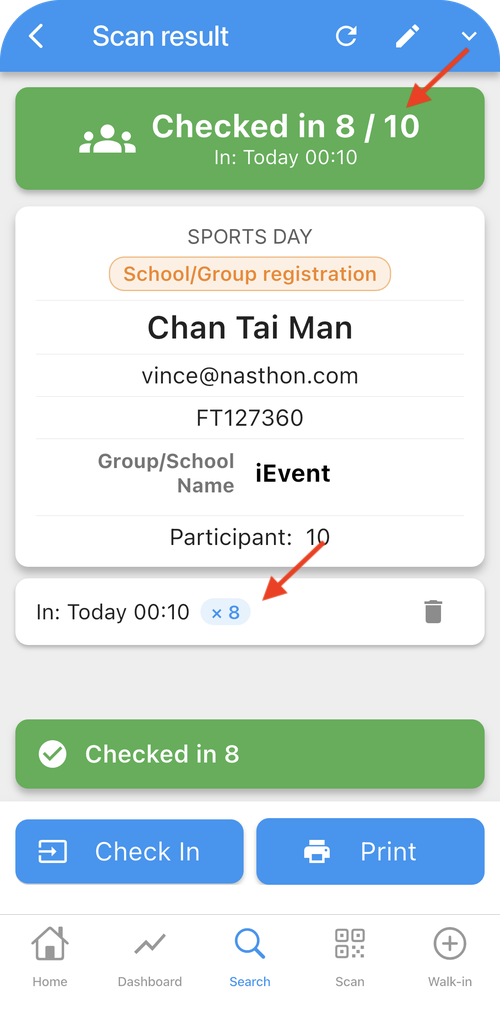
Choose how many to check in

Choose how many to check in Choose how many to check in


  • Registration more than 1 ticket, staff choose how many guests to check in

  • Check in the remaining guests later

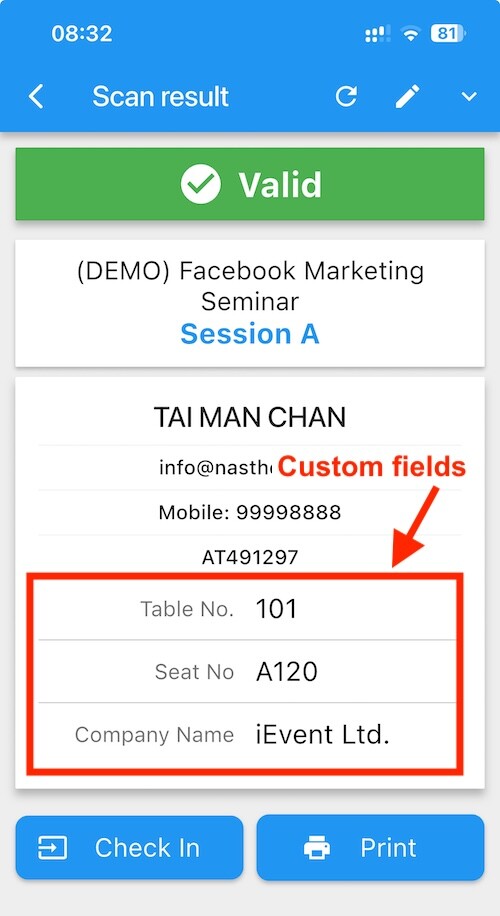
Display Custom fields


  • After scanning the QR Code, if you would like to display additional guest fields such as Table No., Seat No., etc., you can customize the result layout (content within the red box)

  • You can also bulk update custom fields at any time before the event begins, such as assigning "Table No."

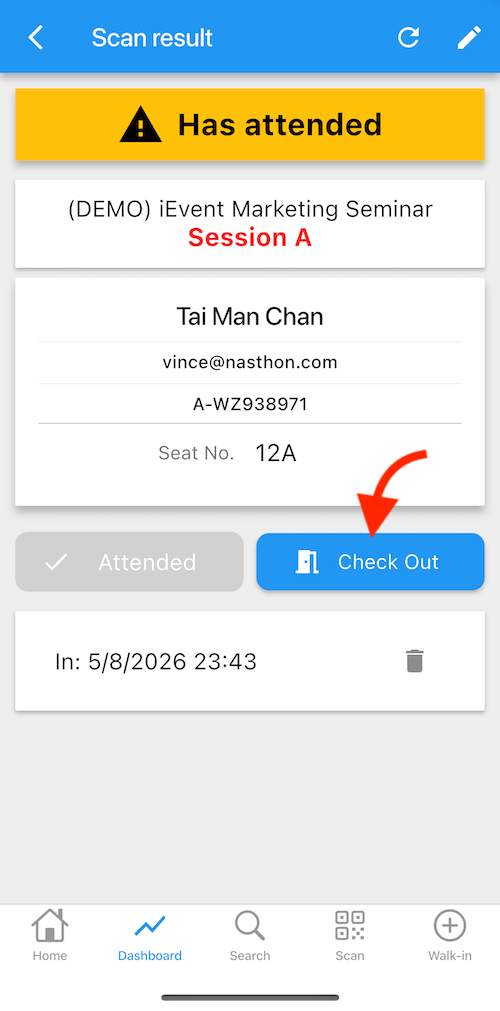
Check-out

QR code Check outQR code Check out


  • After a visitor checks in, simply scan the QR code again to record their checkout time.

  • Automatically calculate each attendee's time on-site to ensure they complete the required class or session hours.

  • Ideal for children's playgrounds: once a child checks in, staff can track every child's leaving time and control exit access by scanning their membership QR code — keeping every young guest safe.

Edit registration on-site

Edit registration on-site

  • Edit registration or adding remark.

  • Correct name for name tag label printing

Walk-in handling

Walk-in registration

  • Input Walk-in on-site

  • Auto check-in after creating Walk-in record

Onsite Name tag printing

Name Tag Label Printing

  • Connect to Brother Label printer via Wifi.

  • Supports varioius sizes of label:
    • 29x90mm
    • 38x90mm
    • 62x100mm (Die-Cut White)
    • 62x100mm (Continuous Length Transparent Film)

  • Auto print after scanning QR code.

  •  Online Demo

Self Check-in Kiosk (iOS only)

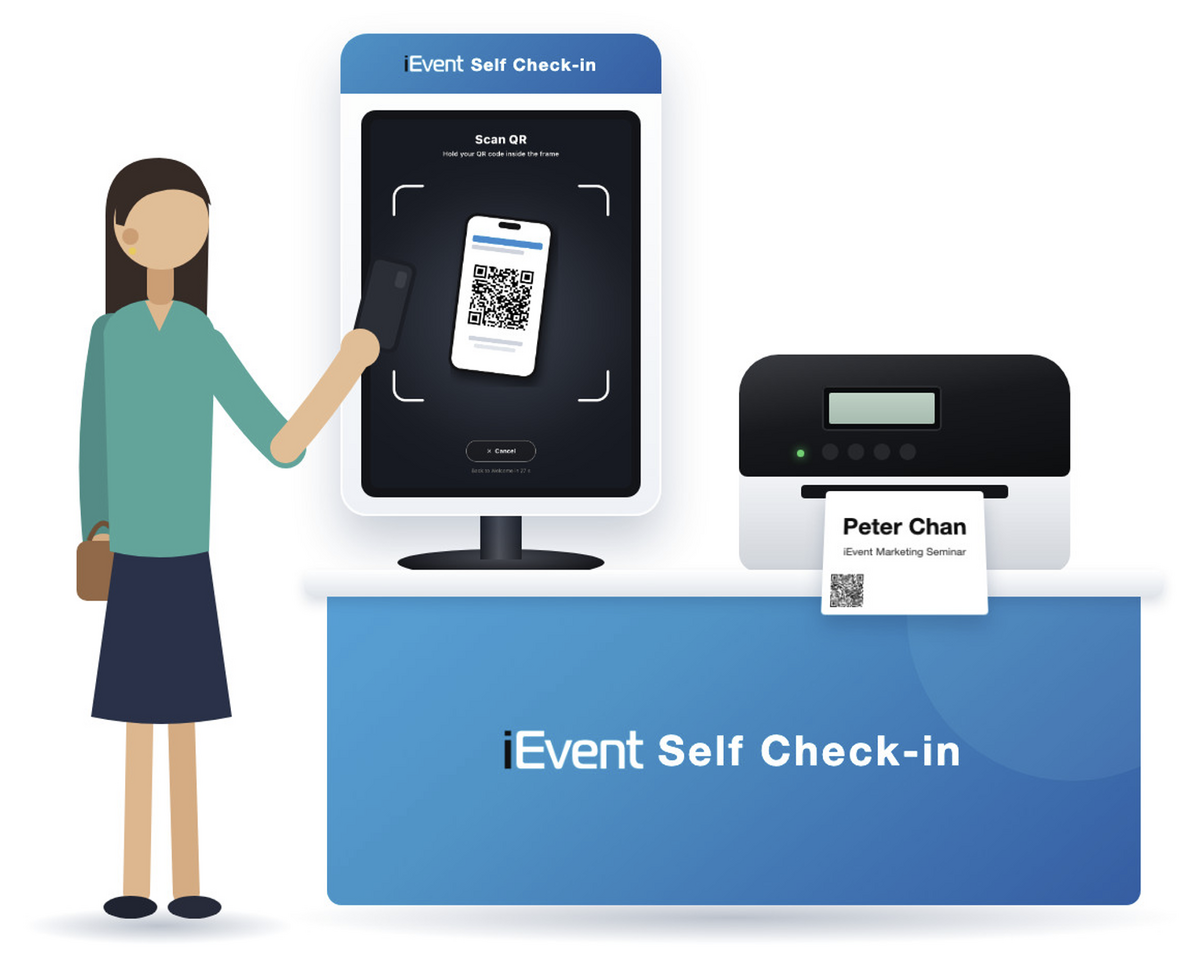
Self check-in by scanning QR code

  • Guests hold the QR code on their phone up to the iPad camera to check in.

  • Uses the front camera by default, with a switch to the rear camera.

  • Full-screen camera preview makes the code easy to line up.

  • Check guests in straight after the scan, or let them confirm first.

  • Every guest, including companions, has their own QR code, check-in and badge.

  •  Details

Onsite QR code Check-in FAQ

1. I have collected attendee lists elsewhere (e.g., Google Form). Can I import them into iEvent just for QR code check-in?
Yes. You can use the Excel template provided by iEvent to import attendees. iEvent will automatically generate QR codes and can send them via email, SMS, or WhatsApp. Details.
2. Does the check-in app support Android devices?
Yes, it supports Android version since Oct 2026 besides iOS version.
3. Can we use our own iPhone or iPad for check-in?
Yes, as long as the device can connect to the internet and runs iOS version 16 or above, or Android version 10 or above.
4. What if an attendee cannot present a QR code?
You can use the search function (by name, phone number, or email) to check in the attendee manually.
5. We already have QR codes. Can we use iEvent to check in attendees?
No. The iEvent check-in app only supports QR codes generated by iEvent.
6. If attendees have not registered online, does iEvent support on-site “walk-in” registration?
Yes. You can register walk-in attendees on the spot and record their entry. You can also download attendance reports from the backend to distinguish walk-in attendees.
7. Can I download attendance reports in real-time?
Yes. Attendance data is updated in real-time and can be downloaded in Excel format.
8. Can I view the attendance rate in real-time?
Yes. Attendance data is updated in real-time and can be viewed immediately in the check-in app.
9. Can multiple iPhones/iPads/Android devices be used for check-in simultaneously?
Yes. There is no limit on the number of devices. You can create separate check-in accounts for multiple devices or use a single account on multiple devices simultaneously.
10. Can scanning a QR code display additional custom fields?
Yes. In addition to basic information (e.g., name, phone number), you can display custom fields such as table number, seat number, VIP status, etc.
11. Can the same QR code be used for multiple check-ins?
No. Each QR code can only be used once. Scanning the same QR code again will trigger a warning, and it is up to the operator to decide whether to allow entry.
12. If my event has multiple sessions (e.g., morning, afternoon, or different lectures), can the same QR code be used for all check-ins?
Yes. Attendees can use the same QR code to check in for multiple sessions. Each session records attendance independently. This is suitable for events with multiple sessions or occurring on different days.

Scroll to top